TU BCA,BSW,MCA,MA & PDG Retotaling Process
If you’re a student under Tribhuvan University (TU) studying in Bachelor of Computer Application (BCA), Master of Arts (MA), Master in Computer Application (MCA), Bachelor in Social Work (BSW), or Postgraduate Diploma (PGD) and are not satisfied with your exam results, you can apply for retotaling. The retotaling process is the same for all these programs. Here’s a complete and easy-to-follow guide.
📄 Documents Required for Retotaling
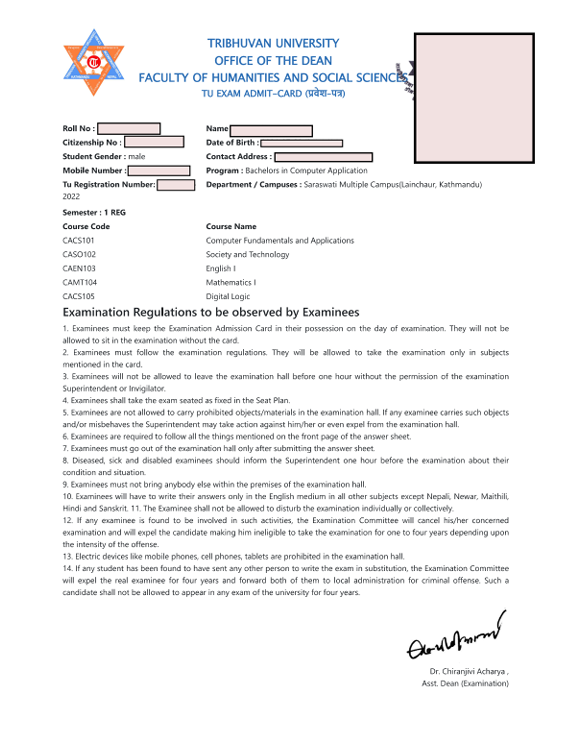
Before visiting the office, make sure to bring:
- ✅ Photocopy of Admit Card
📍 Where to Go for the Retotaling Form
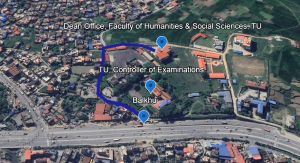
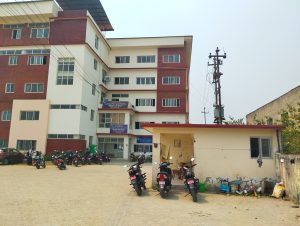
Go to the Dean’s Office of the Faculty of Humanities and Social Sciences (FOHSS) located at Balkhu, Kirtipur.
📌 It is located behind the TU Exam Controller’s Building.
Location Link:
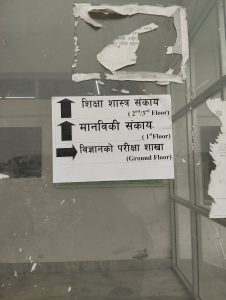
Steps:
- Enter the building and go to the first floor
- Visit Room No. 2 to collect the retotaling form
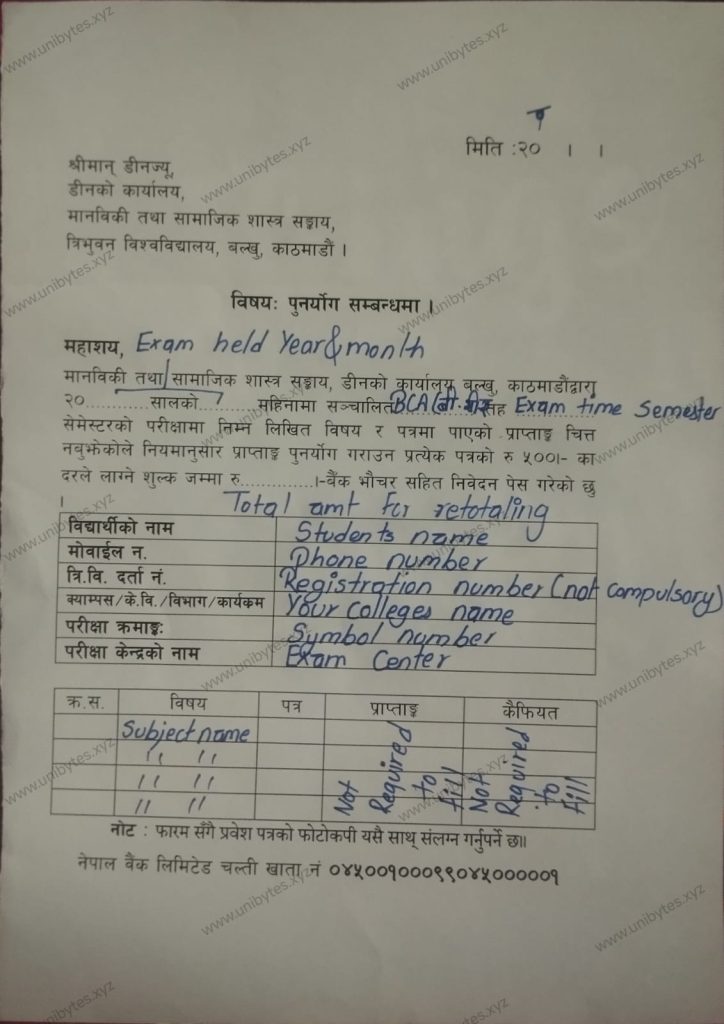
🖊️ What to Fill in the Retotaling Form
The form requires the following details:
- Year and month of the exam
- Which semester retotaling is for Course with Semester
- Your full name
- Phone number
- Symbol number
- Registration number
- College name
- Exam center
- Name of subject(s) for retotaling
🏦 Where to Pay the Fee
After filling the form, go to Nepal Bank Ltd., Kirtipur Branch, which is located in front of the TU Central Library.
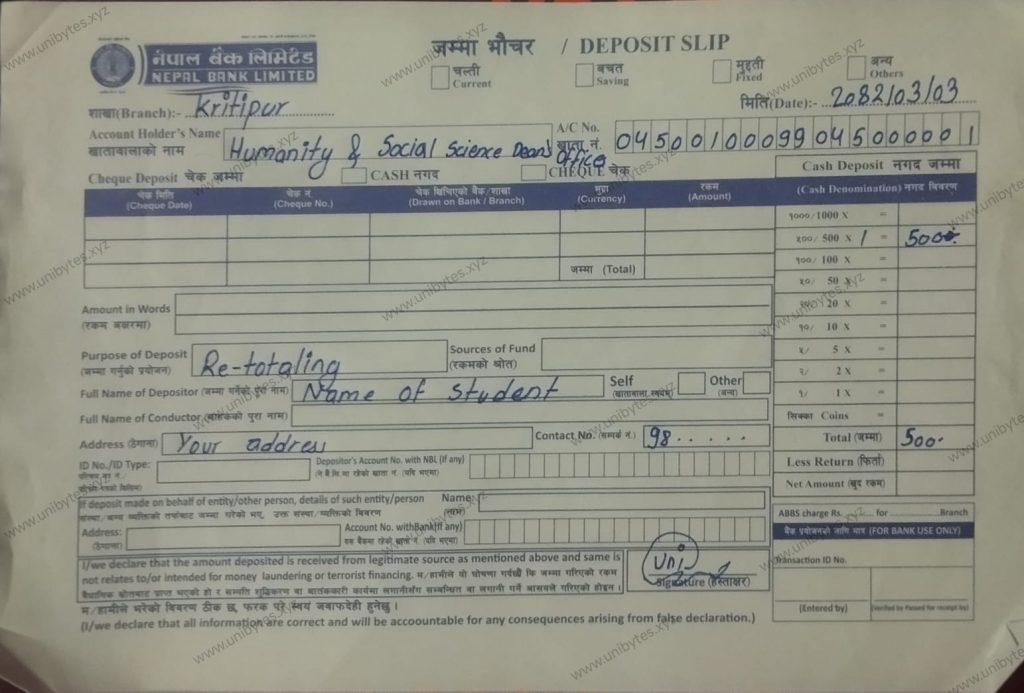
- Fill in the bank voucher
- Pay Rs. 500 per subject
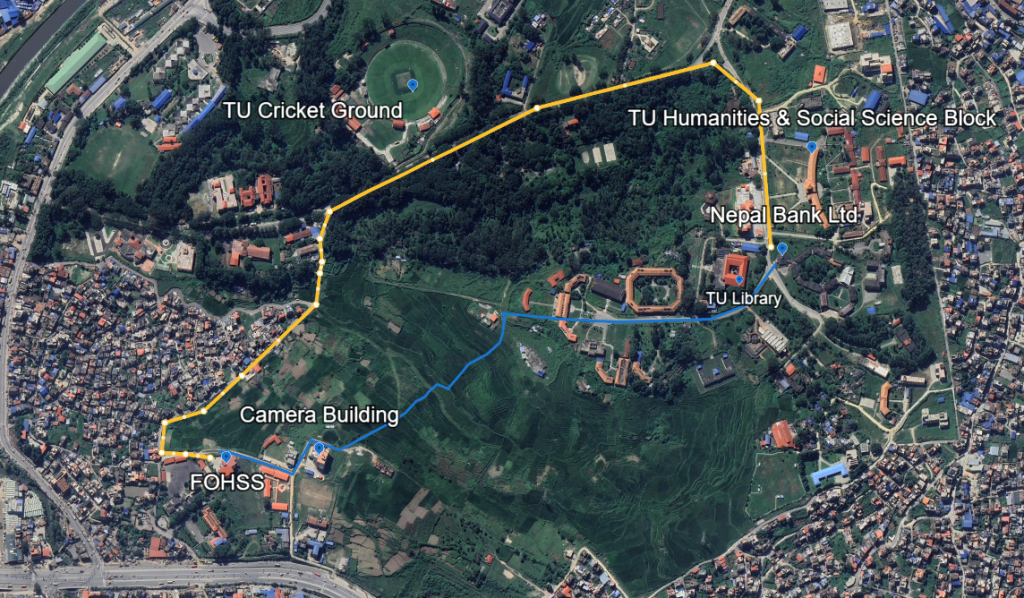
Yellow: For vehicle
Blue: Walking Route
📨 Final Submission Steps
- Go back to the Dean’s Office
- First, visit the Accounts Section (Lekha Shakha) and verify your form and voucher
- Then, submit your documents to Room No. 4
⏳ When Will You Get Your Retotaling Result?
- Retotaling results are usually published within 30 to 60 days.
- 🔔 Important: The chance of marks change is very low – only around 0.0001%. So apply only if you’re confident a mistake has been made.
🎓 Applies to the Following TU Programs:
- BCA (Bachelor of Computer Application)
- BSW (Bachelor in Social Work)
- MA (Master of Arts)
- MCA (Master in Computer Application)
- PGD (Postgraduate Diploma)
🤝 Need Help?
If you’re confused or facing any difficulty:
- 💬 Comment on this post
- 📩 Message us on our social media pages
- 📧 Email us directly
We’ve also created a video tutorial to guide you through the entire process visually and make it even easier to understand.
📹 Watch the video here:
🌐 For more updates, visit: https://unibytes.com.np